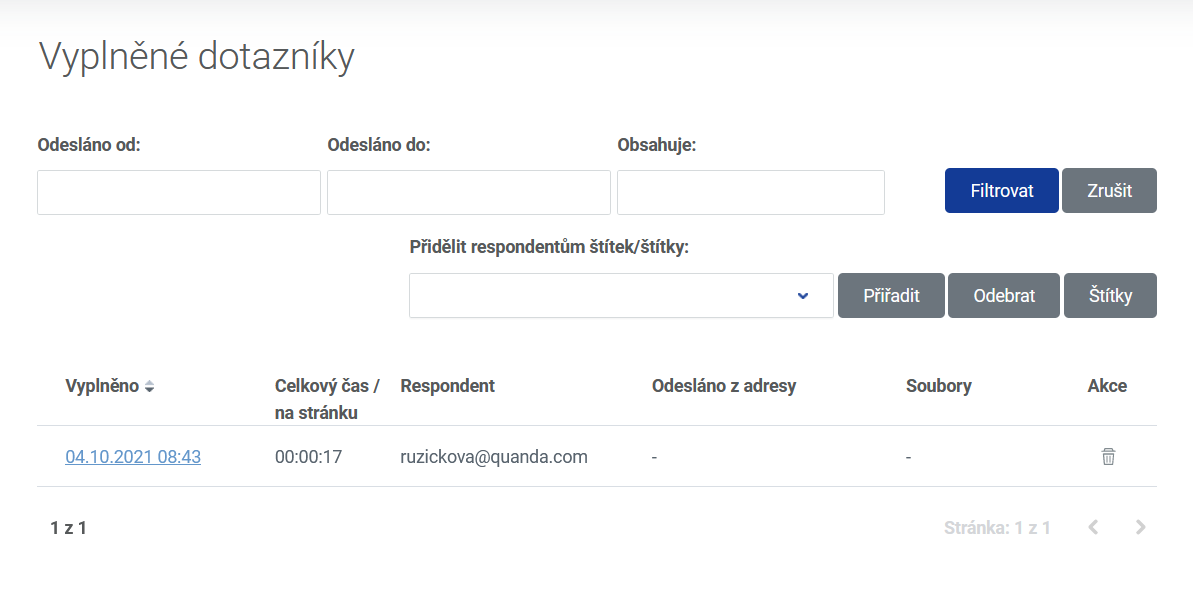
In the completed survey section you will find details about the respondent, the date it was filled in, the time spent filling it in, the address the survey was submitted from and the attached files.
In the "sent from" and "sent to" fields pick the date or range of days you are interested in.
You can also assign tags to respondents or remove them.
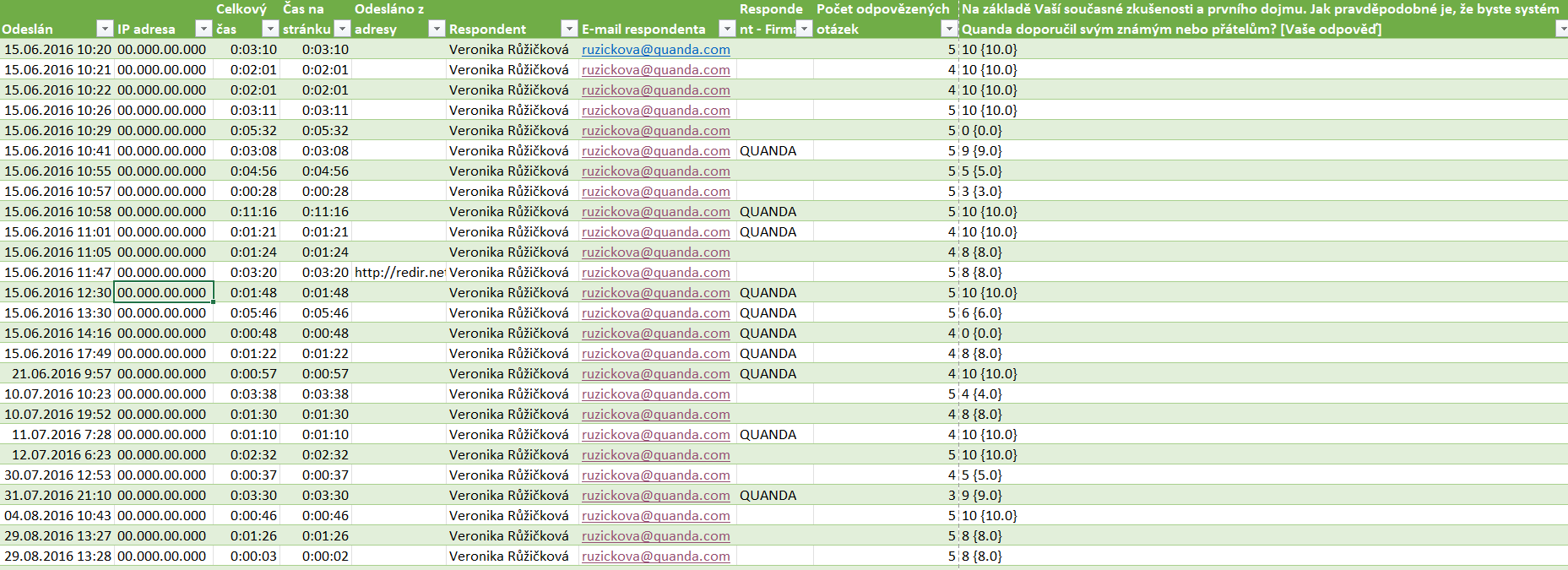
Details about the respondent, the way it was filled in and the answers to the questions can be downloaded into a CSV file. You can open it in Excel following this guide: How to open a file with a CSV extension in Excel
You download the file from the white bar, survey export to CSV.

The file contains columns with this data:
Sent
IP address
Total time
Time on page
Sent from address
Respondent
Respondent e-mail
Respondent - Company
Number of answered questions
The individual questions and the answers to them
Do you have questions? We will be happy to answer them. Just contact our customer support at +420 605 163 892, e-mail: support@onquanda.com.
Updated leden 4, 2022