In the answer analysis section you have a list of questions and the "answered" and "skipped" columns. If you send the survey to respondents through an e-mail campaign, you can open the list in these columns by clicking the people icons.
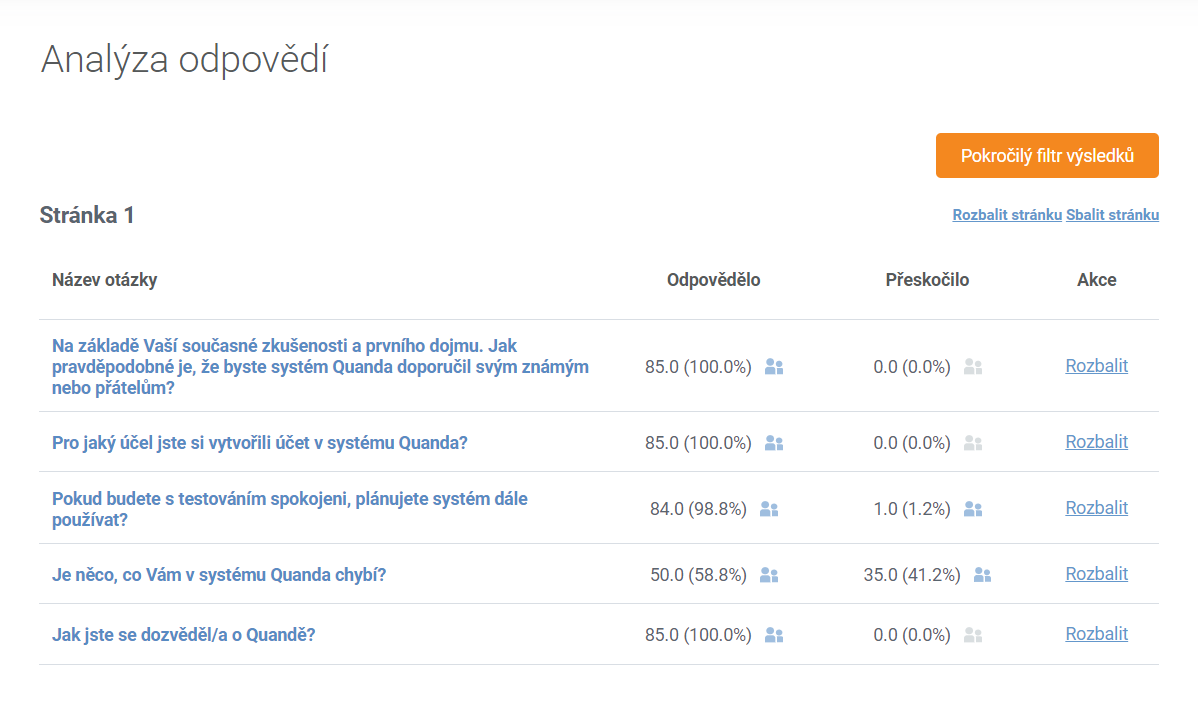
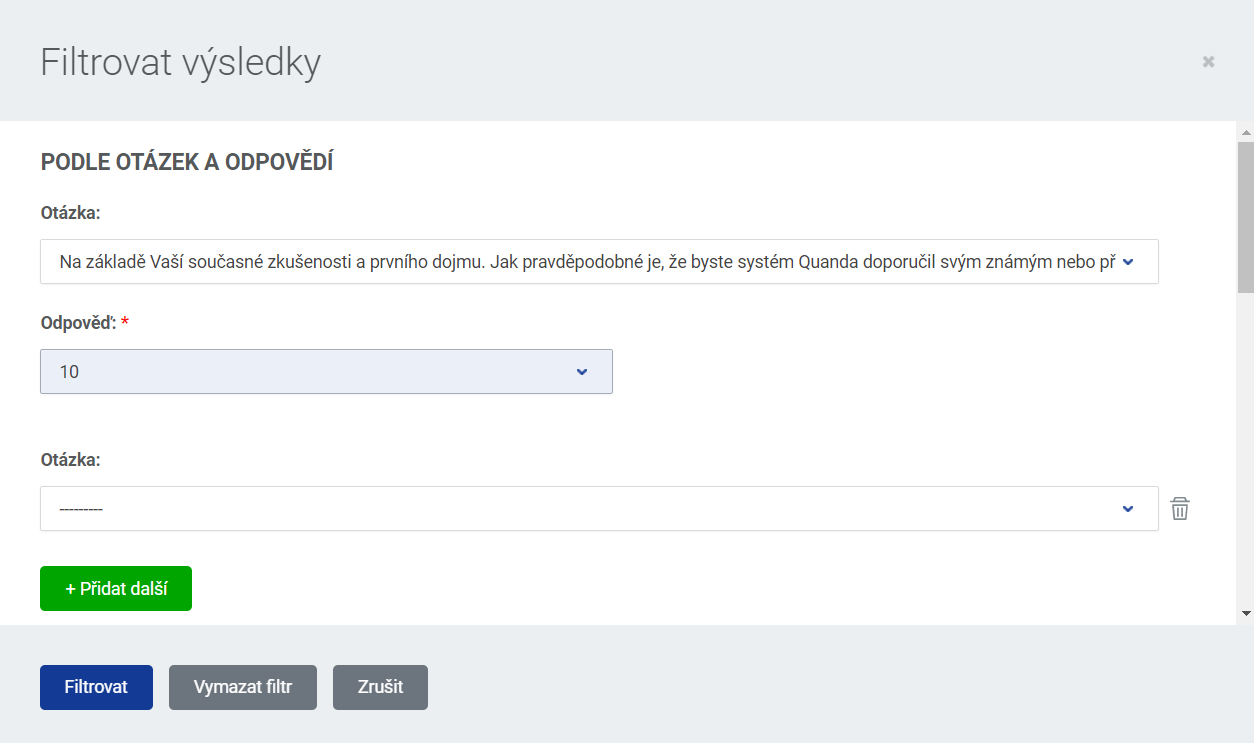
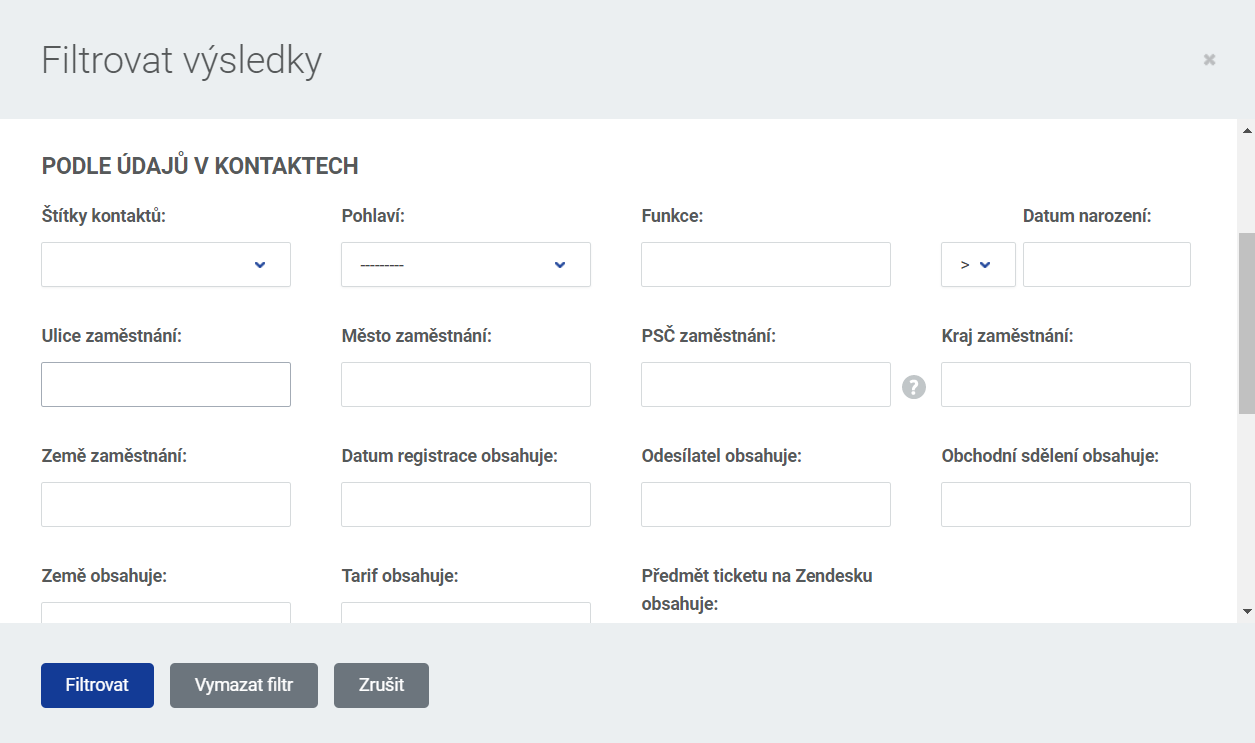
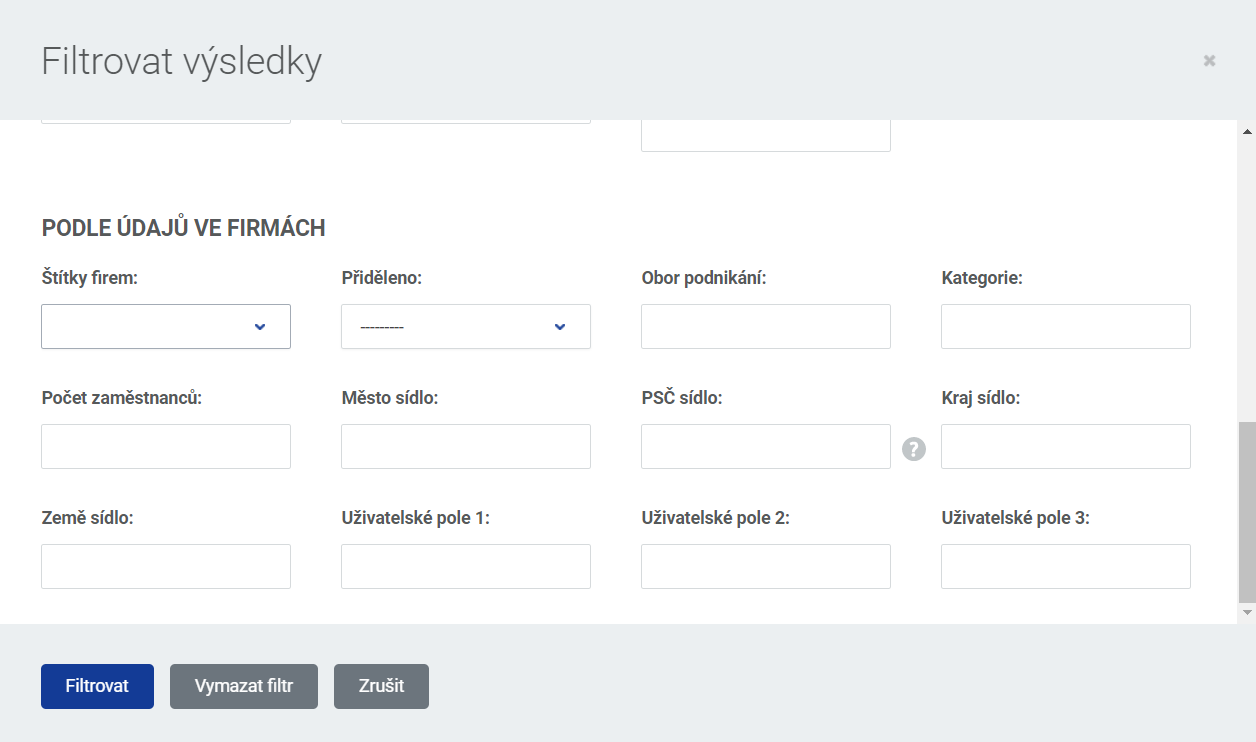
In the advanced filter you can pick criteria by individual questions and, where relevant, by answers, or by some of the data stored with contacts or companies, see the images.
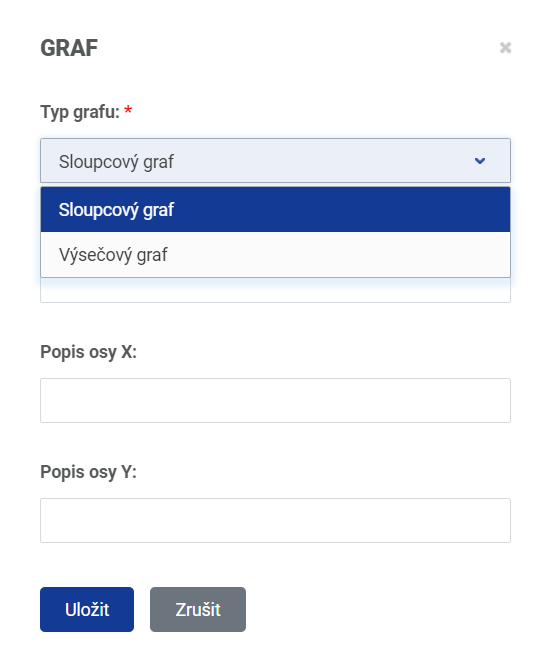
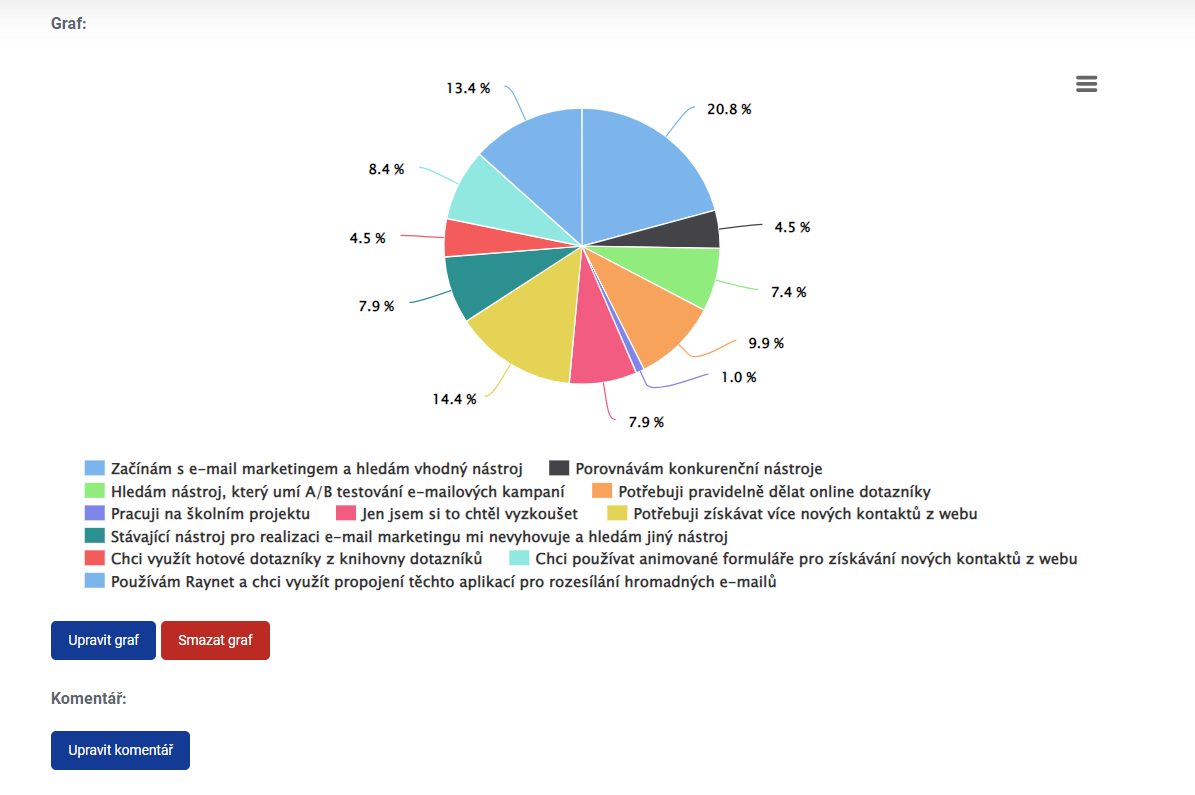
The answer analysis also offers a detailed evaluation by answer, the option to insert a chart (naming the chart as well as the X and Y axis) and to add a comment. You will find all of that under the "Expand" button, either for the whole page or just for selected questions separately.
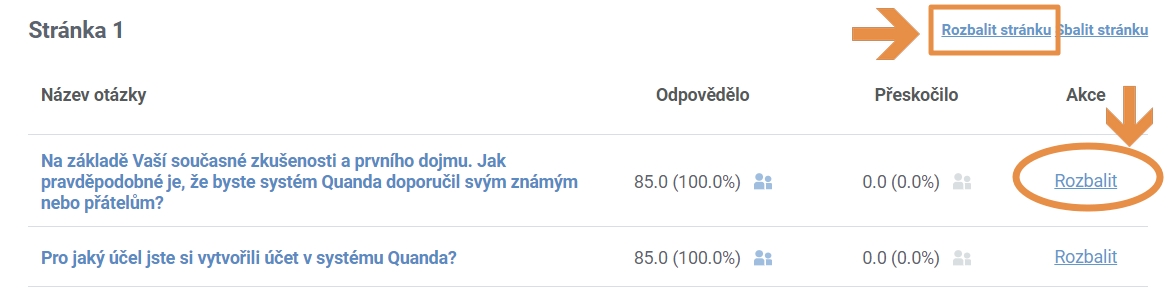
Evaluation:
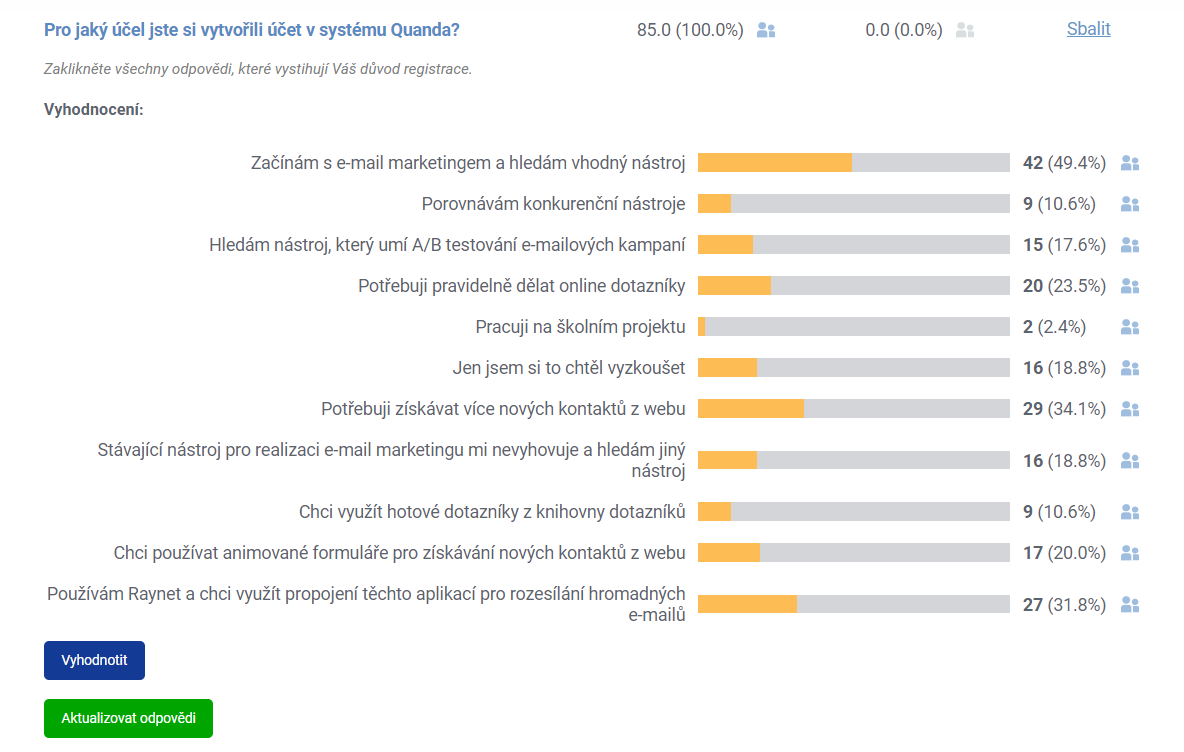
Chart and adding a comment:
Do you have questions? We will be happy to answer them. Just contact our customer support at +420 605 163 892, e-mail: support@onquanda.com.
Updated prosinec 30, 2021