The law requires the e-mail of your commercial message to contain a link that lets the recipient permanently unsubscribe from the e-mail database.
If the recipient clicks this link, Quanda automatically sets the e-mail sending status in the GDPR section to "We cannot send (unsubscribed)".
You will find this detail under Contacts / Contact list / a particular contact / the section with details of the legal aspects of personal data processing (GDPR).
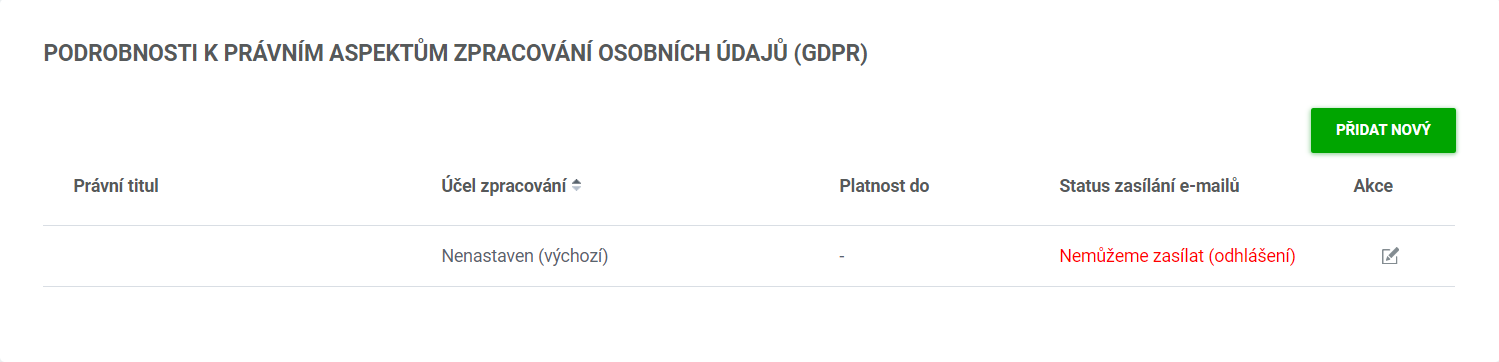
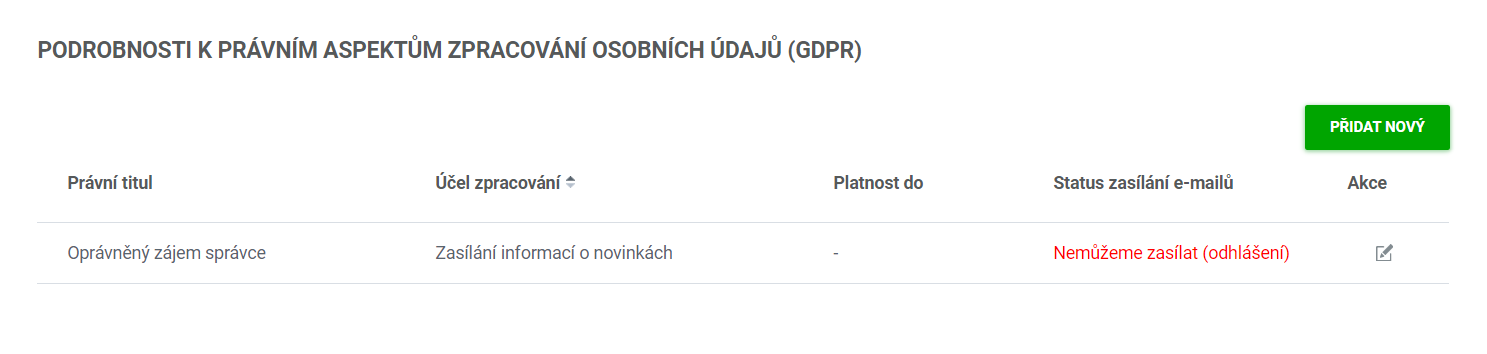
You can filter the list of contacts that unsubscribed this way under Contacts / Contact list / filter (the drop-down) / Unsubscribed contacts.
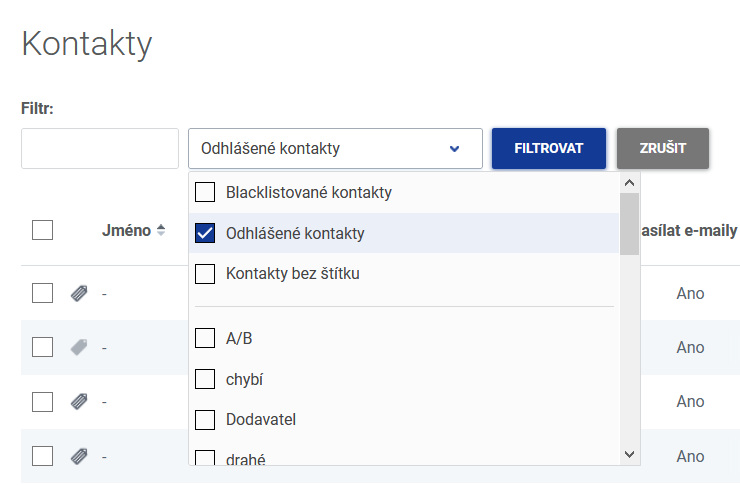
Unsubscribed contacts then do not appear among the recipients of e-mail campaigns at all, so no e-mail can be sent to them any more. It does not matter what tags they have assigned.
Keep unsubscribed contacts in Quanda so that they stay properly recorded. Deleting them would lose the whole history of sent e-mails as well as the information about the unsubscribe. It could then happen that you import the contact again and send unwanted e-mail communication to it.
TIP: If a client replies to an e-mail from a bulk mailing that they wish to be unsubscribed, all you need to do is click the unsubscribe link in the e-mail below. They do not have to look the contact up in the list and set this detail themselves.
Do you have questions? We will be happy to answer them. Just contact our customer support at +420 605 163 892, e-mail: support@onquanda.com.
Updated březen 26, 2021